
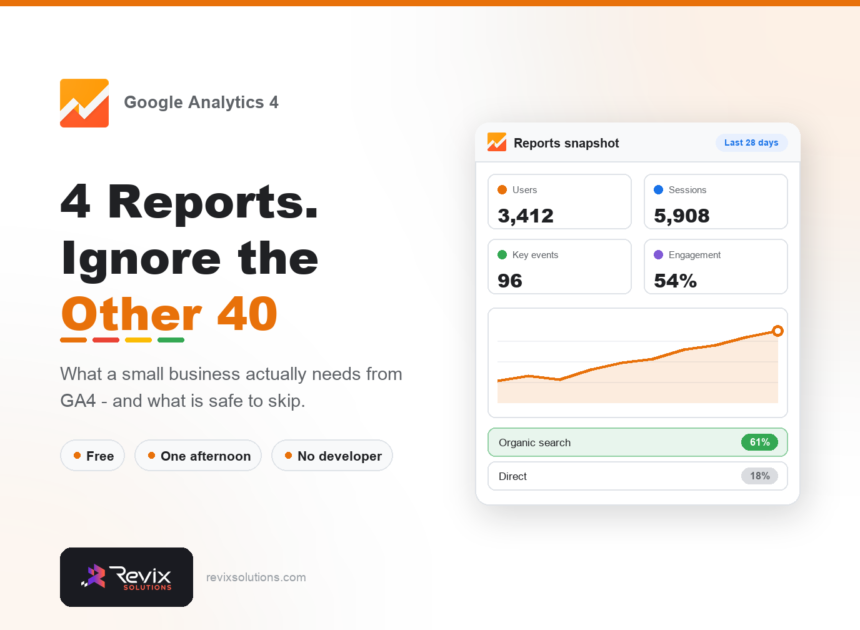
Most small businesses install GA4, look at it twice, and never make a decision from it. The problem is not the tool — it is that GA4 presents dozens of reports when a small business needs about four. This guide covers the setup that actually matters, how to track leads properly, and which reports to check monthly. Set up correctly, GA4 for small business answers one question: which channels produce customers.
GA4 for small business is the free Google Analytics 4 setup that tells an owner which marketing channels actually produce enquiries.
Ga4 for small business: the short answer
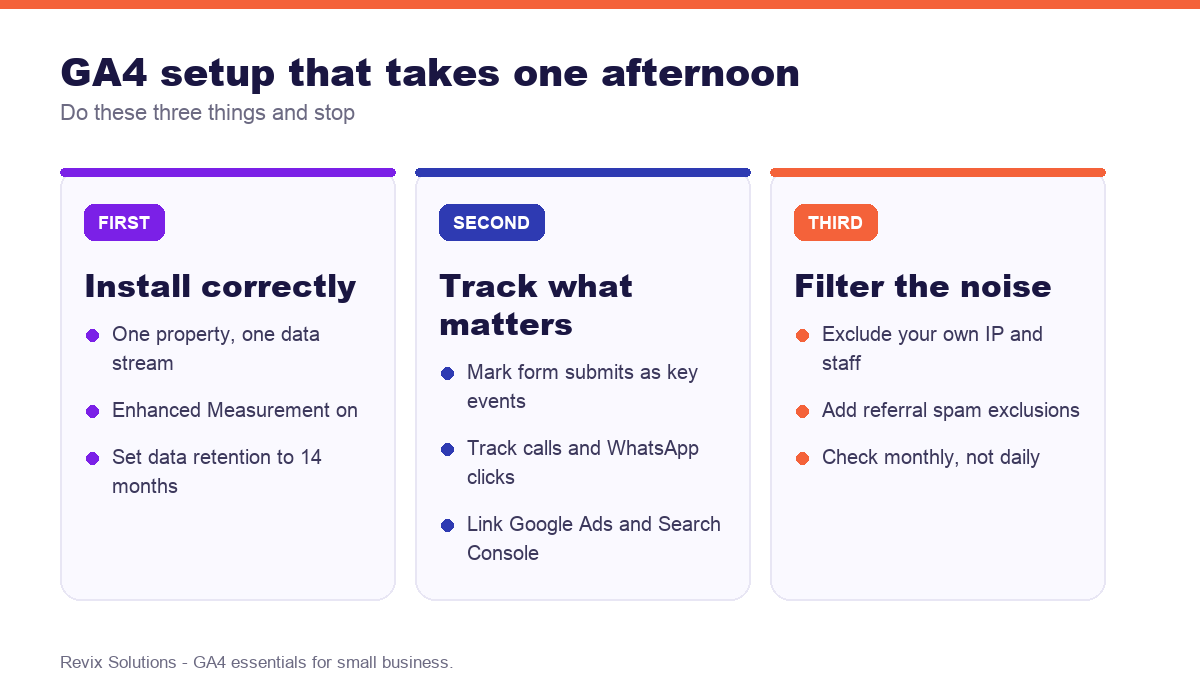
Install one GA4 property, turn on Enhanced Measurement, change data retention from two to fourteen months, and mark your form submissions as key events. Then check four reports monthly: traffic acquisition, landing pages, key events and conversion paths. Everything else in GA4 is optional for a business your size.
The setup that matters
Change the data retention setting
GA4 defaults to keeping event-level data for two months. Almost nobody wants this, and almost nobody changes it. Set it to fourteen months in admin settings on day one — you cannot recover data you did not retain.
Turn on Enhanced Measurement
This automatically tracks scrolls, outbound clicks, site search and file downloads without any code. It is on by default in most setups, but worth confirming.
Exclude yourself
If you and your staff browse your own site daily, your data is measuring your own team. Add internal traffic filters for your office IP addresses.
Tracking leads properly
This is the step that separates useful analytics from decorative analytics. Without conversion tracking, GA4 tells you how many people visited — not which channels produced customers.
| What to track | How | Why it matters |
|---|---|---|
| Form submissions | Mark the submit event or thank-you page view as a key event | Tells you which channel produces leads |
| Phone clicks | Track clicks on tel: links as an event | Mobile callers never fill in forms |
| WhatsApp clicks | Track clicks on wa.me links | The main conversion path for many Indian businesses |
| Quote requests | Separate key event from general contact | Distinguishes buying intent from questions |
| Booking completions | Key event on confirmation page | The only number that reflects revenue |
Link Google Ads and Search Console
Both take two minutes in admin settings and both add data you cannot get otherwise: which paid keywords convert, and which organic queries bring people in.
The four reports worth checking
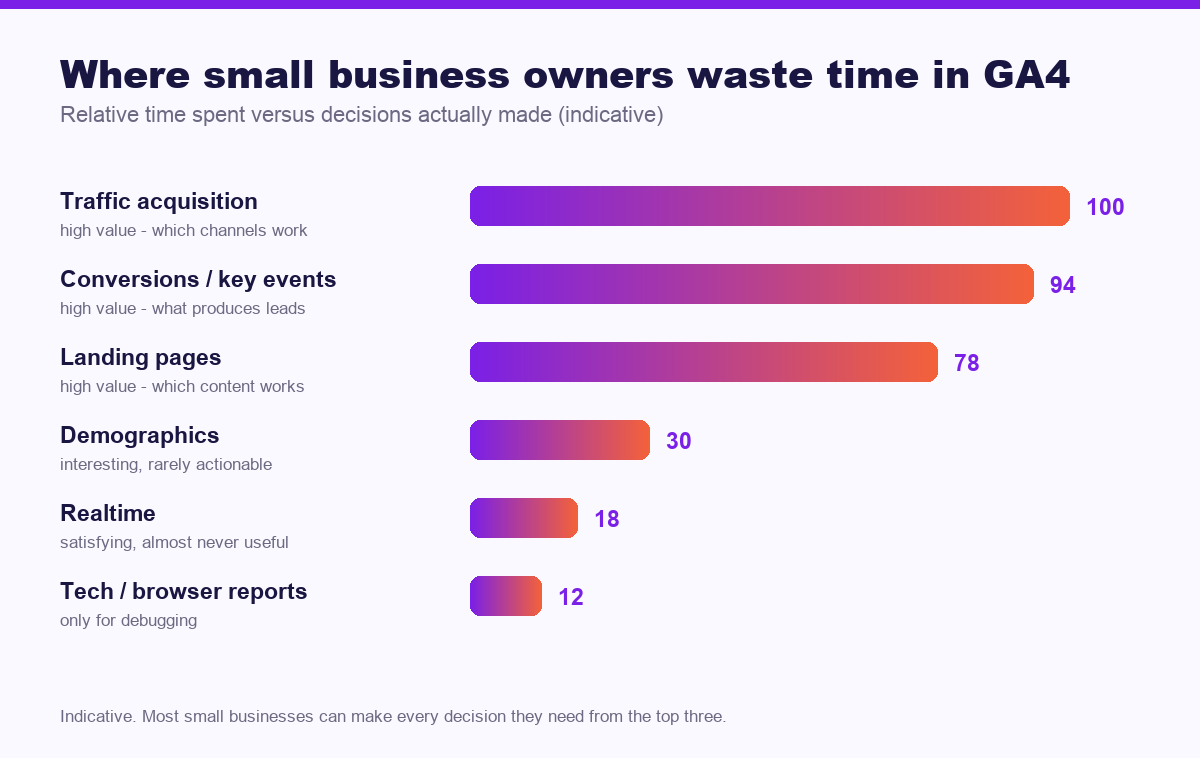
- Traffic acquisition. Which channels bring visitors, and which of those produce key events. This is where you decide budget allocation.
- Landing pages. Which pages people arrive on and which convert. This is where you decide what content to build more of.
- Key events. How many leads, from where, over time. This is your actual scoreboard.
- Conversion paths. How many touches before someone converts. Useful for understanding why a channel that never gets “credit” still matters.
What you can safely ignore
Realtime is satisfying and almost never actionable. Demographics are interesting but rarely change a decision for a local business. Tech and browser reports matter only when debugging a specific problem. Ignoring these is not laziness — it is focus.
Numbers that confuse people
- GA4 and Search Console never match. They measure different things at different moments. Both are correct.
- Direct traffic is inflated. It absorbs untagged links, some app traffic and privacy-blocked referrers. It is rarely all brand recall.
- Bounce rate works differently now. GA4 uses engagement rate, which is roughly its inverse. Do not compare it against old Universal Analytics figures.
- Small numbers are noisy. A change from 8 to 12 leads is not a 50% improvement in performance; it may be weather.
How often to look
Monthly, for most small businesses. Weekly if you are running paid campaigns. Daily checking of a site with modest traffic produces anxiety rather than insight, because daily variation is mostly random.
Frequently asked questions
Is Google Analytics 4 free?
In practice, ga4 for small business follows the same rules for most businesses. Yes. GA4 is free for the vast majority of businesses. The paid GA360 tier only becomes relevant at very high event volumes well beyond typical small business traffic.
What is the difference between GA4 and Universal Analytics?
GA4 uses an event-based model where every interaction is an event, while Universal Analytics used sessions and pageviews. GA4 also tracks across web and app and applies different retention and reporting defaults.
Which GA4 reports should a small business actually check?
Traffic acquisition to see which channels bring visitors, landing pages to see which content works, and conversions to see what produces enquiries. Most other reports are noise for a small business.
How do I track form submissions in GA4?
Mark the form submission as a key event, either through Enhanced Measurement, a thank-you page view, or a custom event fired on submit. Without this, GA4 cannot tell you which channels produce leads.
Why does GA4 show different numbers than Search Console?
Search Console counts impressions and clicks from Google Search only, measured before the page loads. GA4 counts sessions after the page loads and covers all traffic sources, so the two never match exactly.
How long does GA4 keep my data?
The default event data retention is two months, which you should change to fourteen months in admin settings. Standard aggregate reports are unaffected, but exploration reports depend on this setting.
If you would rather have ga4 for small business handled for you, our free SEO audit and website optimisation cover exactly the work described above.
Ga4 for small business: what to do next
The short version of this guide: ga4 for small business rewards sequence over effort. Fix the foundations first, publish what your customers actually search for, then measure enquiries rather than rankings. Businesses that treat ga4 for small business as a system rather than a checklist are the ones still compounding a year later.
Not sure your analytics is measuring the right things?
We will audit your GA4 setup, verify that leads and calls are tracked correctly, and build you a simple monthly report showing only the numbers that drive decisions.
Get your free analytics review
Plans start from Rs 16,000 per month. See current pricing.
Related reading: Google Ads cost in India, landing page conversion rate optimization.