

Schema markup tells search engines what your page means, not just what it says. For a local business it is the difference between being a page of text and being a recognised entity with an address, opening hours, services and ratings. This guide covers the types that matter, how to implement them without a developer, and the mistakes that get rich results removed. Implemented accurately, schema markup for local business turns a page of text into a recognised entity.
Schema markup for a local business is structured data that tells search engines its name, address, hours and services in a machine-readable form.
The short answer
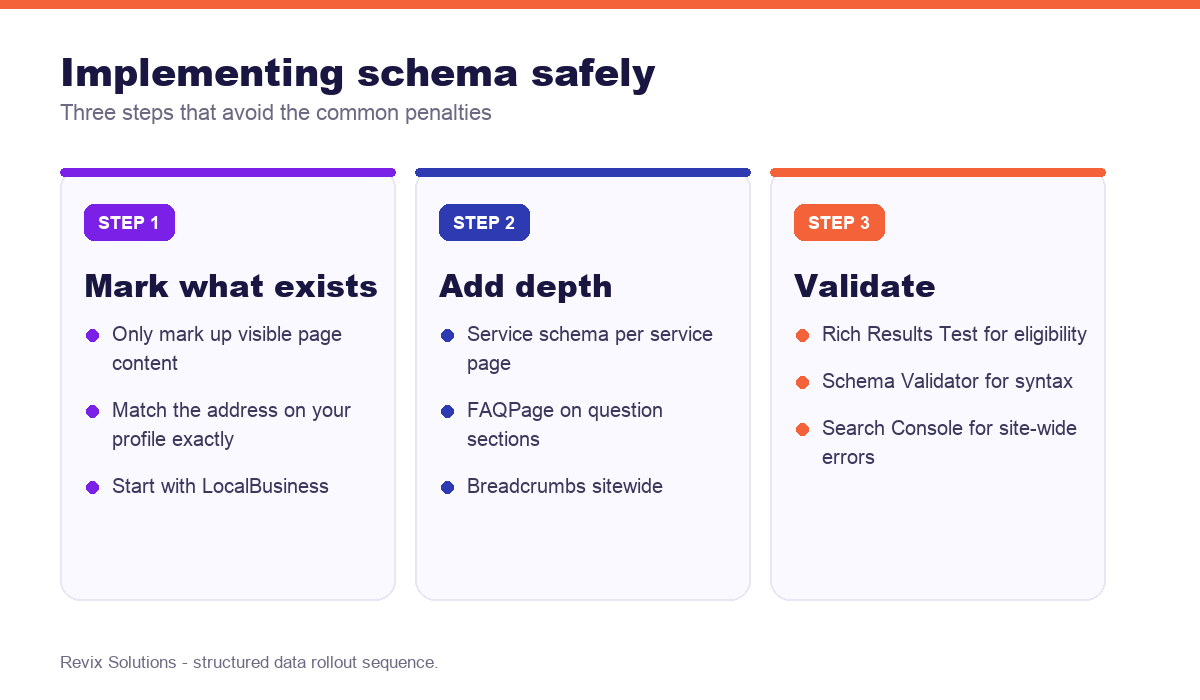
Start with LocalBusiness schema containing your exact name, address, phone and hours, matching your Google Business Profile precisely. Add Service schema to each service page and FAQPage to question sections. Only ever mark up content that is genuinely visible on the page – marking up invisible or false information breaches Google guidelines and can trigger a manual action.
What schema markup actually does
Schema is a shared vocabulary, expressed as code, that describes entities and their relationships. When you mark a page with LocalBusiness schema, you are stating unambiguously that this page represents a business, located at a specific address, open at specific times.
Search engines can infer some of this from text, but inference is error-prone. Structured data removes the guesswork — which matters increasingly as AI systems assemble answers from extracted facts rather than ranked pages.
It is not a ranking factor
Being clear about this saves disappointment. Schema does not directly raise your position. It earns rich results — star ratings, FAQ dropdowns, opening hours in the result — which increase click-through rate. Higher click-through can improve performance over time, but the markup itself is not a ranking signal.
The types a local business needs
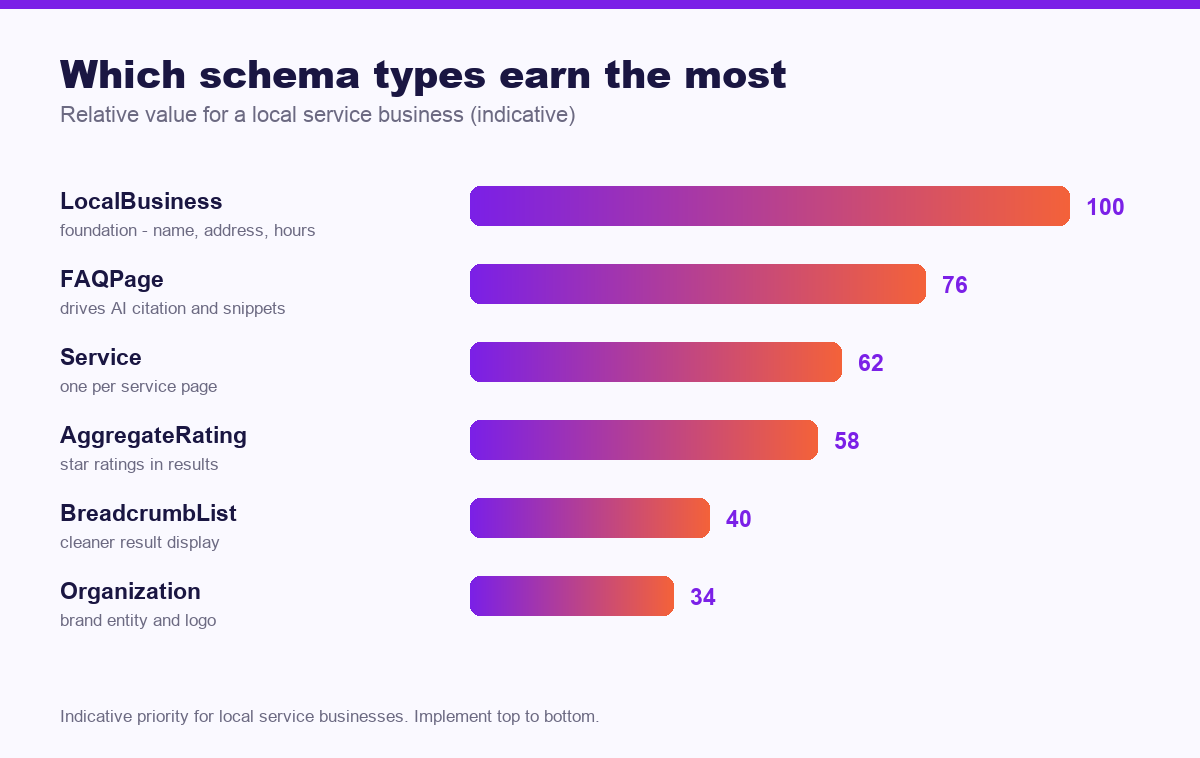
| Type | Where it goes | What it earns |
|---|---|---|
| LocalBusiness | Homepage or contact page | Address, hours and map details in results |
| Service | Each service page | Clearer association between you and each service |
| FAQPage | Any question section | Expandable FAQs in results, strong AI citation signal |
| AggregateRating | Where genuine reviews are shown | Star ratings in search results |
| BreadcrumbList | All pages | Readable path instead of a raw URL |
| Organization | Homepage | Brand entity, logo and social profiles |
Use the most specific subtype
LocalBusiness has dozens of subtypes. A dental clinic should use Dentist, a plumbing business Plumber. Specificity helps search engines classify you correctly, and costs nothing extra.
How to implement it
You have three realistic options, in ascending order of effort.
- An SEO plugin. Most generate LocalBusiness, Organization, Breadcrumb and FAQ schema from settings you fill in. This covers the majority of what a local business needs.
- Google’s Structured Data Markup Helper. Tag page elements visually and it produces JSON-LD you can paste into the page.
- Hand-written JSON-LD. Necessary for custom types or complex service structures. Place it in a script tag in the head or body.
Use JSON-LD rather than Microdata. It is Google’s recommended format, sits separately from your HTML, and is far easier to maintain.
Consistency is the whole point
Your schema address, phone and business name must match your Google Business Profile and your directory listings exactly. “Shop No. 4” in one place and “Shop 4” in another creates ambiguity precisely where you were trying to remove it. Fix your NAP consistency before adding markup, not after.
Testing and monitoring
Test every implementation twice: the Rich Results Test tells you whether a page qualifies for a rich result, and the Schema Markup Validator catches syntax errors the first tool may pass over. After deployment, Search Console reports errors across your whole site as pages are recrawled.
Re-test after any site change. Theme updates and plugin conflicts break structured data silently, and the first symptom is usually a quiet disappearance of your star ratings.
Mistakes that get rich results removed
- Marking up invisible content. Everything in your schema must appear on the page to users.
- Self-serving review markup. Marking up reviews you wrote about yourself breaches guidelines.
- Fake aggregate ratings. The fastest route to a manual action.
- Address mismatches between schema, website and Google Business Profile.
- Duplicate LocalBusiness markup on every page rather than one canonical location.
- Never re-testing after theme or plugin updates.
Frequently asked questions
What is schema markup?
In practice, schema markup for local business follows the same rules for most businesses. Schema markup is structured data added to a page’s code that describes its content to search engines in a standard vocabulary. It does not change what visitors see but helps machines understand entities such as a business, product or review.
Does schema markup improve rankings?
Schema is not a direct ranking factor. It earns rich results such as star ratings and FAQ dropdowns, which increase click-through rate, and it helps search and AI systems interpret your content accurately.
Which schema types does a local business need?
LocalBusiness is the foundation, plus Service for each service page, FAQPage for question sections, BreadcrumbList for navigation, and Review or AggregateRating where you have genuine reviews.
Can I add schema without a developer?
Yes. Most SEO plugins generate the core types automatically, and Google’s Structured Data Markup Helper produces code you can paste. Custom types usually still benefit from developer input.
How do I test my schema markup?
Use Google’s Rich Results Test for eligibility and the Schema Markup Validator for syntax. Search Console reports errors across your whole site once pages are indexed.
Can incorrect schema hurt my site?
Marking up content that is not visible on the page, or misrepresenting it, breaches Google’s guidelines and can trigger a manual action removing your rich results. Accuracy matters more than coverage.
If you would rather have schema markup for local business handled for you, our website optimisation and technical SEO services cover exactly the work described above.
Because of that, schema markup for local business rewards consistency far more than intensity.
However, schema markup for local business only compounds when the basics stay in place month after month.
Schema markup for local business: what to do next
The short version of this guide: schema markup for local business rewards sequence over effort. Fix the foundations first, publish what your customers actually search for, then measure enquiries rather than rankings. Businesses that treat schema markup for local business as a system rather than a checklist are the ones still compounding a year later.
Not sure whether your structured data is working?
We will audit your existing markup, identify errors and missed rich result opportunities, and show you exactly which types would earn the most visibility for your business.
Plans start from Rs 16,000 per month. See current pricing.
Related reading: Google Business Profile optimization guide, how to rank in Google AI Overviews.